sicurezza · crittografia
Condivisione crittografata vs condivisione sicura dei file: qual è la differenza?
TLS e crittografia lato browser vengono entrambi presentati come «condivisione sicura». Non sono la stessa cosa. Dove avviene la crittografia e perché conta.
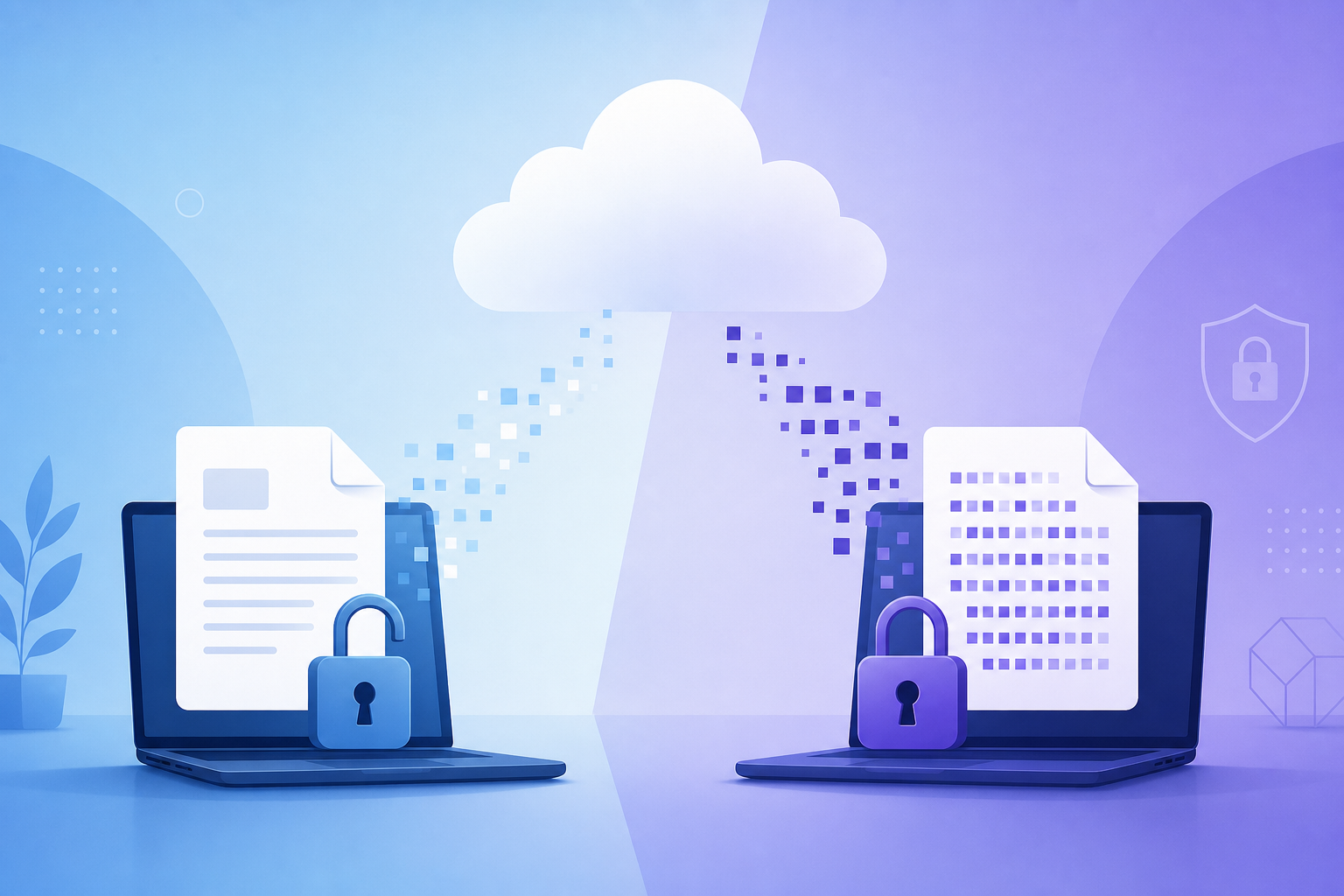
When people search for "secure file sharing," they often assume that every service offering HTTPS or TLS encryption protects their files in the same way. Unfortunately, that is not true.
Two services can both advertise "encrypted file transfer" while offering vastly different privacy guarantees. The difference lies entirely in where the encryption happens. Understanding this distinction explains why some services can inspect, index, and process your files, while others simply cannot.
The two types of encryption
There are two primary ways modern file-sharing services protect your data.
1Transport encryption (TLS)
This is the standard encryption used by almost every website on the Internet today. When you upload a file, your browser establishes a secure Transport Layer Security (TLS) connection with the host server. The connection is encrypted while your file travels across the network, protecting you against attackers on public Wi-Fi, compromised routers, or anyone sniffing network traffic.
Your device
Original file (plaintext)
Host server
Receives readable file
- TLS is essential, and every reputable service must use it.
- Once the upload reaches the server, the provider receives the original plaintext file.
- From that point onward, depending on its policies, the service may store the file, generate previews, index contents, scan for malware, or use metadata for analytics.
- Many providers also encrypt files "at rest." That protects against physical theft of disks—but the service still holds the keys and can read your files.
The core vulnerability of traditional cloud storage: the server can only encrypt what it has already been able to read.
2Browser-side encryption
A fundamentally different approach is to encrypt the file before it ever leaves your device. Instead of uploading the original file, your browser uses local cryptographic APIs to encrypt it. The server only receives ciphertext—data that appears random and is useless without the decryption key.
Your browser
Encrypts locally first
Encrypted payload
Unreadable without key
Host server
Stores ciphertext only
- Browser-side encryption does not replace TLS—it complements it.
- TLS still protects the connection from network-level eavesdroppers.
- The provider's servers receive nothing but unreadable ciphertext because they never receive the plaintext or the decryption key.
Why this difference matters
Suppose you are sharing highly sensitive data: legal contracts, financial spreadsheets, proprietary source code, medical records, or confidential business documents.
With transport-only encryption, your privacy is contractual. You must trust the provider's implementation, employee access controls, and current and future corporate policies.
With browser-side encryption, your privacy is architectural. The provider only stores encrypted ciphertext. Even if they are hacked, subpoenaed, or change their business model, they cannot hand over plaintext they never possessed.
With transport-only encryption, your privacy is contractual. With browser-side encryption, your privacy is architectural.
A recent reminder: the trust factor
In 2025, WeTransfer updated its Terms of Service with language that appeared to grant broad rights over uploaded content, including for improving machine-learning systems used in content moderation.
The change triggered immediate backlash from artists, journalists, and creative professionals who feared their intellectual property would be used to train AI systems. WeTransfer quickly clarified that customer content was not being used for AI training and removed the confusing language—but the incident highlighted a crucial lesson:
If a provider receives your files in plaintext, you are entirely dependent on their promises. When a provider only stores encrypted ciphertext, the amount of trust you must place in them is structurally minimized. The architecture enforces the privacy.
How PrivateNote handles file sharing
Modern browser-based encryption combines several well-established cryptographic building blocks to keep data secure without relying on server trust.
•Key generation and isolation
When a user prepares to share a file, PrivateNote generates a cryptographically secure, random symmetric key directly in the browser using the Web Crypto API.
This key is never transmitted to our infrastructure. Instead, it is appended to the sharing link as a URL fragment (the portion after the `#` symbol):
https://privatenote.ai/note/your-note-id#your-secret-keyBy design, web browsers never send the URL fragment to the web server during an HTTP request. This behavior is defined by the URL standard and has worked this way for decades. The decryption key stays in the recipient's browser.
•Authenticated streaming encryption
Instead of uploading raw data, the browser encrypts the file before it touches the network. Because PrivateNote supports large attachments, it uses streaming, chunked encryption: files are encrypted block-by-block (typically in multi-megabyte chunks) so large uploads do not need to load the entire file into memory at once.
Free accounts can attach files up to 25 MB; Premium accounts support much larger payloads (up to 1 GB per file). In all cases, only ciphertext reaches our servers.
The implementation relies on AES-GCM (Authenticated Encryption with Associated Data), providing both confidentiality and integrity:
- Confidentiality — the payload is unreadable without the key.
- Integrity — tampering with ciphertext at rest is detected and rejected during client-side decryption.
- When password protection is enabled, a password-derived key is generated using memory-hard algorithms such as Argon2id, making brute-force guessing impractical.
What metadata still exists
A rigorous security architecture must acknowledge its boundaries. Browser-side encryption protects the contents of your files, but certain metadata remains visible to the network and service:
- Upload and download timestamps.
- The approximate size of the encrypted payload.
- Expiration, view limits, and file-access windows.
- The recipient's IP address when they download (visible to the web server routing the request).
Privacy-focused systems minimize metadata wherever practical, but no web-based service can eliminate it entirely. PrivateNote treats metadata with the same retention discipline as encrypted payloads—purged when a note expires or is deleted.
The trade-offs of true privacy
Browser-side encryption offers maximum content privacy, but it comes with intentional trade-offs:
- No server-side malware scanning — because the server cannot read the file, it cannot scan it for viruses. Trust the sender.
- No server-generated previews — thumbnails and document previews are rendered locally in the recipient's browser after decryption, not on the server.
- No password or key recovery — if you lose the link or encryption key, the provider cannot recover the file. There is no "Forgot password" for data the host cannot access.
Choosing the right service
Not every file transfer requires strict browser-side encryption. Casual holiday photos with family may be fine with transport encryption alone.
If you are sharing intellectual property, legal agreements, or sensitive personal data, ask one architectural question:
Does the service receive my original file, or only an encrypted version of it?
That single distinction determines who can technically access your data—not just today, but as corporate policies, ownership, and privacy laws evolve over time.
Share files without handing plaintext to the server
PrivateNote's secure file transfer uses the same browser-side encryption model as our disappearing notes: encrypt locally, upload ciphertext, share the key in the URL fragment, and expire access on your terms.
Try secure file transfer