Cómo compartir una contraseña de forma segura
Sin correo, Teams ni WhatsApp
Deja de pegar contraseñas en Microsoft Teams, WhatsApp o el correo. Enlaces cifrados de un solo uso, RGPD y gestor vs enlace puntual.
Ideas clave
- Nunca envíes contraseñas por email, SMS o chat de equipo.
- Usa un enlace de un solo uso cifrado en el navegador para la entrega.
- Prefiere contraseñas temporales y fuerza un reset tras el acceso.
- Confirma la identidad del destinatario en un canal aparte cuando el riesgo sea alto.
Compartir una contraseña parece una tarea menor y cotidiana—hasta que algo sale mal.
Ya sea que un compañero necesite acceso temporal a una herramienta interna, que el soporte al cliente pida acceso al sistema, o que deba enviar las credenciales Wi-Fi a un visitante, la opción más rápida suele parecer pegar la contraseña en texto plano en un chat de Microsoft Teams, un mensaje de WhatsApp o un correo rápido.
Lamentablemente, esa comodidad deja un rastro digital permanente. Una vez que un secreto entra en estos canales, se sincroniza entre dispositivos, es indexable mediante funciones de búsqueda, se almacena en copias de seguridad automáticas del buzón y se conserva indefinidamente en archivos de mensajería corporativa. Una contraseña pensada como temporal se convierte en una responsabilidad permanente.
Afortunadamente, hay una mejor forma de proteger sus credenciales.
El problema central de compartir en texto plano
El correo electrónico y las aplicaciones de chat son excelentes plataformas de colaboración, pero nunca se diseñaron para guardar secretos. Aunque los sistemas modernos suelen cifrar los datos en tránsito, fallan en la efimeridad: garantizar que los secretos desaparezcan una vez cumplido su propósito.
Cuando pega una contraseña en un hilo de chat o correo estándar, pierde de inmediato el control de su ciclo de vida. Permanece almacenada en buzones, es buscable en registros de chat años después y visible en notificaciones o pantallas de bloqueo. Si su cuenta o la del destinatario se compromete más adelante, esos historiales de chat en texto plano se convierten en una mina de oro para los atacantes.
RGPD (GDPR / DSGVO) y riesgos de cumplimiento en Europa
Para las organizaciones europeas, esto no es solo una preocupación de seguridad—es un riesgo de cumplimiento. Según el Reglamento General de Protección de Datos (RGPD / GDPR / DSGVO), las empresas están legalmente obligadas a proteger el acceso a datos personales con medidas técnicas y organizativas de última generación.
Pegar credenciales activas en registros de chat en la nube alojados en EE. UU. o en servidores de correo sin cifrado, sin un cifrado de extremo a extremo dedicado, puede aumentar la exposición de cumplimiento, especialmente si esas contraseñas otorgan acceso a bases de datos con información de clientes o empleados.
El cifrado local en el navegador reduce drásticamente dónde pueden permanecer las credenciales, alineando las entregas cotidianas con un enfoque privacy-first. Esto no es asesoramiento jurídico; trate el intercambio seguro de credenciales como parte de un control de acceso más amplio, la gestión de contraseñas y la política de rotación.
Consejo de alta seguridad: uso compartido por canales separados
Un enlace cifrado solo es tan seguro como el canal que use para enviarlo. Si un tercero malicioso accede a su bandeja de Teams o correo, podría interceptar el enlace antes de que el destinatario lo abra.
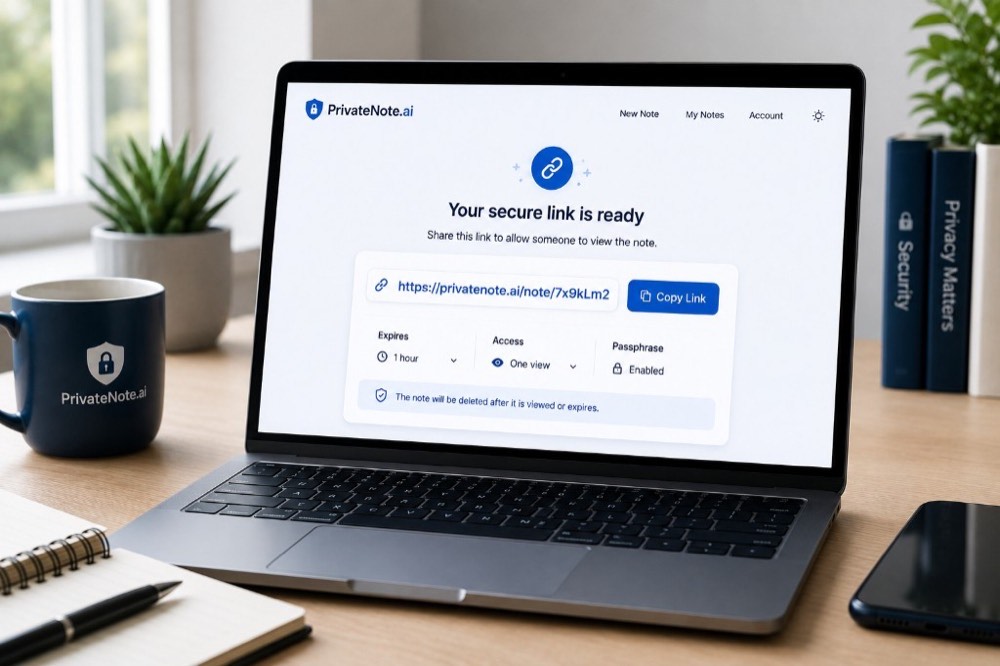
Muchas herramientas de uso compartido seguro—incluida PrivateNote.ai—ofrecen una opción para envolver la nota con una contraseña adicional (passphrase wrapping). No está activada por defecto: la activa al crear la nota, elige una frase de contraseña y el destinatario debe introducirla antes de que se revele el secreto.
Para evitar un único punto de fallo (SPoF) en credenciales muy sensibles, use esa opción para el uso compartido por canales separados: genere el enlace cifrado con protección por frase de contraseña, envíe el enlace por su canal principal (por ejemplo, Microsoft Teams) y envíe la frase de contraseña por un canal completamente distinto—preferiblemente un mensajero centrado en la privacidad como Signal o Threema, o una breve llamada telefónica.
Un atacante necesitaría tanto el enlace como la frase de contraseña. Esa separación es lo que hace efectivo el uso compartido por canales separados.
Uso compartido con gestor de contraseñas vs. enlaces de un solo uso
Ambos métodos pueden ser muy seguros, pero cumplen propósitos distintos. La herramienta adecuada depende de cuánto tiempo necesite acceso el destinatario.
| Categoría | Ideal para | Limitaciones técnicas |
|---|---|---|
| Correo, Teams o WhatsApp | No recomendado para contraseñas | Deja copias en texto plano permanentes y buscables en copias de seguridad y archivos |
| Gestores de contraseñas | Acceso continuo: compartir bóvedas con familiares, departamentos internos o equipos de confianza | Ambas partes deben mantener cuentas activas y compatibles de gestor de contraseñas |
| Enlaces cifrados de un solo uso | Acceso temporal: freelancers, soporte al cliente, visitantes y entregas puntuales | Cualquiera con el enlace puede leer el secreto salvo que esté protegido por una frase de contraseña secundaria |
Como regla general: use un gestor de contraseñas para el acceso compartido continuo, y un enlace cifrado de un solo uso cuando la credencial deba cambiar poco después de la entrega.
Cuándo usar un enlace de contraseña de un solo uso
El intercambio de contraseñas de un solo uso es ideal para credenciales transaccionales que solo deben comunicarse una vez. Ejemplos habituales en entornos laborales europeos:
| Departamento | Casos de uso habituales |
|---|---|
| Administración y oficina | Contraseñas de router o Wi-Fi de invitados, credenciales de administrador de impresora o ajustes de oficina inteligente |
| Finanzas y negocio | Credenciales para su asesor fiscal o auditores financieros externos |
| TI y operaciones | Incorporación de proveedores de TI externos temporales, o compartir inicios de sesión temporales de contratistas |
| Equipos técnicos | Credenciales de base de datos, claves API, claves SSH o contraseñas de plataformas en la nube con desarrolladores |
Buenas prácticas y errores a evitar
Exigir la rotación
Cada vez que comparta una contraseña, trátela como temporal. Pida al destinatario que la cambie en cuanto inicie sesión y confirme que la rotación está completa antes de dar por finalizada la entrega.
Generar contraseñas fuertes y locales
No invente contraseñas usted mismo. Use una herramienta local como el generador de contraseñas de PrivateNote, o passwords.lu para opciones de frase de contraseña y PIN. Ambas se ejecutan localmente—no se sube nada. Para el modelo técnico, consulte How We Generate Secure Passwords.
Mantener tiempos de caducidad cortos
La mayoría de las contraseñas solo necesitan existir unos minutos u horas. Prefiera una sola visualización o una ventana corta, como dos horas, cuando aún encaje en el flujo de trabajo del destinatario.
No poner contraseñas en títulos o asuntos
Nunca coloque contraseñas en texto plano en asuntos de correo, títulos de tickets, nombres de canales de Teams, títulos de grupos de WhatsApp, nombres de documentos o invitaciones de calendario. Esos campos rara vez se tratan con el mismo cuidado que el cuerpo del mensaje—y persisten en los índices de búsqueda.
Dejar el contexto fuera de la nota segura
Si comparte una contraseña de base de datos, no escriba «Contraseña de la base para el CRM de producción: MySecret123!» dentro de la nota. Ponga solo el secreto en bruto en el enlace cifrado. Si se intercepta el enlace, el atacante no debería saber también qué cuenta o sistema desbloquea.
Error habitual
Enviar el enlace cifrado y su frase de contraseña en el mismo mensaje de Teams, chat de WhatsApp o correo anula el uso compartido por canales separados y recrea un único punto de fallo.
Preguntas frecuentes
¿Son Microsoft Teams o WhatsApp más seguros que el correo?
Sus protocolos de transmisión suelen ser seguros, pero siguen funcionando como archivos de chat a largo plazo. Cualquier contraseña pegada en un hilo puede seguir siendo buscable indefinidamente, lo que la convierte en una vulnerabilidad persistente.
¿Afecta el RGPD (GDPR / DSGVO) a cómo comparto contraseñas?
Según el artículo 32 del RGPD, las organizaciones deben aplicar medidas técnicas y organizativas adecuadas para proteger los datos personales. Almacenar contraseñas en texto plano en copias de seguridad en la nube o cadenas de correo abiertas aumenta la exposición de cumplimiento. Los enlaces de conocimiento cero y autodestrucción mantienen menor la huella de las credenciales.
¿Debo enviar el enlace y la frase de contraseña juntos?
No. Enviar ambas partes en el mismo mensaje anula el uso compartido por canales separados. Envíe la frase de contraseña por otro medio—preferiblemente Signal o Threema, o una llamada telefónica.
¿Debo usar un gestor de contraseñas o un enlace de un solo uso?
Use un gestor de contraseñas para el acceso compartido a largo plazo. Use un enlace de un solo uso cifrado en el navegador cuando solo necesite comunicar una contraseña una vez.
¿Sigo necesitando un gestor de contraseñas?
Sí. Los gestores de contraseñas siguen siendo el lugar adecuado para almacenar y gestionar las credenciales que conserva. Los enlaces cifrados de un solo uso los complementan para entregas temporales y controladas.
Conclusión
El intercambio seguro de contraseñas no tiene por qué ser un cuello de botella en su flujo de trabajo. Solo requiere un pequeño cambio de hábito: dejar de dejar datos sensibles reposando de forma permanente en registros de chat e historiales de bandeja de entrada.
Al usar cifrado local en el navegador y enlaces de autodestrucción, reduce el riesgo de seguridad y cumplimiento organizativo mientras mantiene las entregas rápidas y prácticas.
La próxima vez que necesite compartir una contraseña, evite pegarla en Microsoft Teams, WhatsApp o el correo. Cree una nota cifrada de un solo uso, envíe el enlace en lugar de la contraseña y deje que la nota caduque una vez cumplido su propósito.
¿Listo para compartir de forma segura?
Cree una nota privada en PrivateNote.ai para cifrar credenciales en su navegador antes de la carga. Las notas pueden caducar automáticamente o tras la lectura, la protección opcional por frase de contraseña añade otra capa, y los datos de notas cifradas se gestionan bajo jurisdicción de la UE.
Crear una nota privada


