Cómo compartir una clave API de forma segura
Sin exponer tus secretos
Las claves API no pertenecen a Slack, Teams, el correo, los tickets ni al historial de Git. Aprende el flujo más seguro: limita la clave, cifra en local, usa un enlace de un solo uso y rótala cuando termine la entrega.
Ideas clave
- Nunca pegues claves API en correo, chat, tickets, docs o Git.
- Usa la clave más estrecha: mínimo privilegio, vida corta, rota al terminar.
- Envía secretos con un enlace de un solo uso cifrado en el navegador.
- Para claves de alto riesgo, cifra primero en local; comparte solo el ciphertext.
- Vigila usos inusuales—PrivateNote es entrega, no un vault.
En esta página
Todo desarrollador acaba necesitando enviar una clave API a otra persona—para acceso a staging, un contratista, una integración webhook o una entrega a un cliente. El camino más rápido suele ser también el que deja el rastro más largo.
Trata las claves API como contraseñas de producción
Una clave API es efectivamente una contraseña para software. Según sus permisos, una clave filtrada puede exponer datos de clientes, consumir recursos de pago, desplegar infraestructura en la nube, enviar correo a través de tu dominio verificado o disparar una factura de IA.
A diferencia de las contraseñas humanas, las claves API a menudo permanecen válidas durante meses, residen en archivos de configuración y eluden por completo la autenticación multifactor. Si una clave se filtra, un atacante puede operar como tu aplicación—y el tráfico malicioso puede mezclarse con el uso ordinario de producción hasta que suban los costes o los datos ya estén expuestos.
Nunca pegues claves API en sistemas permanentes
Estos canales son convenientes porque conservan el historial. Por eso exactamente son el lugar equivocado para secretos.
- Slack, Microsoft Teams, Discord u otro historial de chat
- Correo, SMS o hilos de bandeja reenviados
- Jira, Trello, Notion, Confluence o issues de GitHub
- Documentos de texto plano, hojas de cálculo y carpetas compartidas en la nube
- Commits de Git, pull requests y comentarios en el código
Dónde se filtran realmente las claves API
La mayoría de filtraciones no son rupturas sofisticadas de criptografía. Ocurren cuando alguien copia un secreto en un sistema diseñado para conservar registros.
Correo
El correo crea copias de larga duración. Una clave puede sobrevivir en bandejas de entrada, archivos, copias de seguridad, sincronización móvil, hilos reenviados e índices de búsqueda mucho después de que la tarea haya terminado.
Chat de equipo
Slack y Teams conservan el contexto—lo que los hace arriesgados para secretos. Una clave pegada puede volverse buscable por futuros miembros del espacio de trabajo o filtrarse a través de un dispositivo comprometido.
Herramientas de proyecto
Jira, Notion, Confluence, Trello y GitHub Issues no son bóvedas de credenciales. Los tickets eliminados pueden seguir existiendo en exportaciones, copias de seguridad, registros de auditoría y búsqueda asistida por IA.
Repositorios Git
El historial de Git se pega. Eliminar una clave en un commit posterior no borra los commits anteriores. Los repos públicos se escanean constantemente, y las credenciales en la nube expuestas pueden abusarse en minutos.
Claves de alto riesgo: cifra primero en local
La mayoría de claves API son reemplazables: tokens de staging, secretos de integración de corta duración y credenciales con alcance limitado que planeas rotar. Para esas, la entrega de un solo uso cifrada en el navegador suele bastar.
Algunas claves pesan más—acceso de administrador a producción, claves de firma, credenciales raíz en la nube o cualquier cosa de larga duración que sería doloroso o imposible revocar limpiamente. Trátalas como secretos maestros: cifra en local antes de cualquier subida web y luego envía el texto cifrado a través de PrivateNote.
- age — valores predeterminados más sencillos para cifrado de archivos (
age -p -o key.txt.age key.txt) - OpenSSL — CLI fiable si ya conoces las opciones
- Sube el archivo cifrado con PrivateNote; envía la contraseña de descifrado por un canal separado (Signal, teléfono, en persona)
El mismo flujo de trabajo se aplica a frases semilla de criptomonedas y otros secretos maestros irremplazables. Consulta frases semilla de cripto y enlaces de un solo uso para el tutorial completo de age/OpenSSL, consejos de contraseñas y cuándo los enlaces de un solo uso son—y no son—la herramienta adecuada.
Un flujo de entrega más seguro
Cuando una persona necesita la clave—no cuando una app la recupera en tiempo de ejecución—sigue esta secuencia.
Limita la clave
Solo permisos mínimos
Cifra en local
La clave nunca sale de tu navegador
Envía el enlace
No el secreto en bruto
Revoca al terminar
Rota tras la entrega
Comparte cualquier contraseña de la nota por un canal separado—nunca en el mismo mensaje que el enlace.
Cómo encaja PrivateNote en la entrega
PrivateNote está pensado para el momento de persona a persona: claves API, claves privadas SSH, credenciales de base de datos, códigos de recuperación, secretos de firma de webhooks y contraseñas temporales que deben llegar a una persona sin convertirse en un registro permanente.
Si el secreto es una clave SSH en lugar de una credencial API, consulta cómo compartir claves SSH de forma segura sobre claves públicas frente a privadas, deploy keys y extensiones del editor.
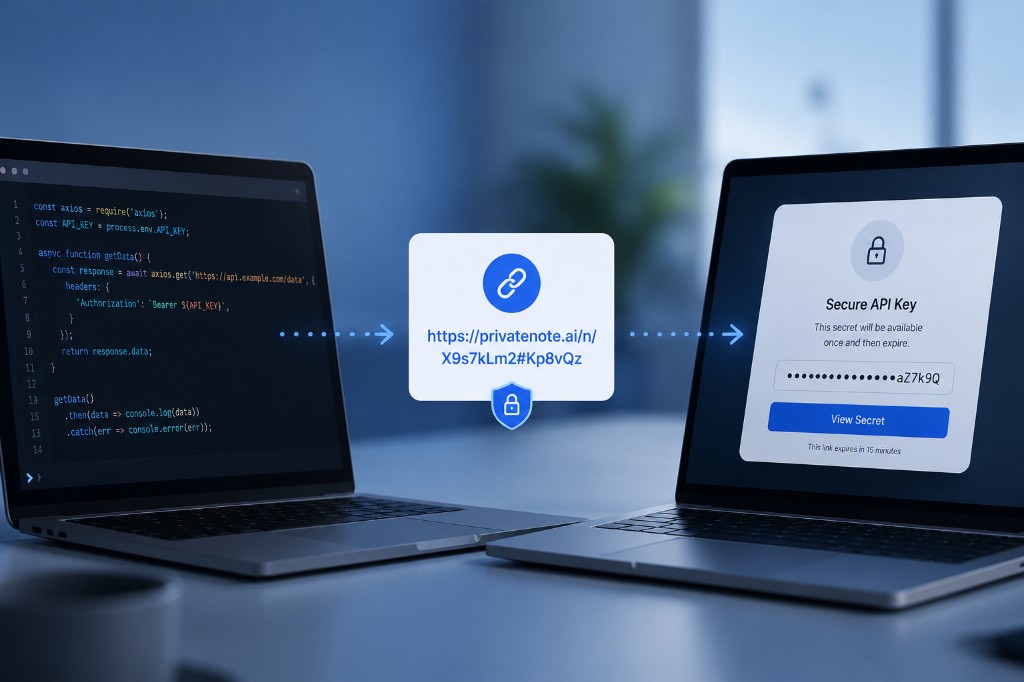
El secreto se cifra en tu navegador antes de subirlo. PrivateNote almacena texto cifrado, no texto plano. La clave de descifrado vive en el fragmento de la URL—la parte después del #—que los navegadores no envían al servidor al cargar la página. Ese es el modelo del enlace de un solo uso aplicado a credenciales API.
https://privatenote.ai/note/abc123#kL8mN4...
- El servidor recibe el ID de la nota y la carga cifrada.
- El servidor no recibe la clave de descifrado.
- La lectura única y la caducidad limitan cuánto tiempo existe la nota cifrada.
PrivateNote complementa los almacenes de secretos dedicados—cierra la brecha cuando necesitas enviar una clave de Stripe a un socio de integración, compartir una clave temporal de OpenAI con un contratista o dar a un compañero acceso puntual a una credencial de staging.
Preguntas frecuentes
¿Por qué no usar simplemente una variable de entorno?
Las variables de entorno son buenas para ejecutar software en local. No resuelven el problema del transporte cuando necesitas entregar ese valor a un compañero, contratista, cliente o socio de integración.
¿Deberían las claves API caducar siempre?
Siempre que el proveedor lo permita, sí. Las credenciales de corta duración reducen la ventana de abuso tras una divulgación accidental y hacen de la rotación parte del flujo de trabajo habitual.
¿Cuál es el flujo de trabajo más seguro?
Crea una clave con alcance muy limitado, envíala mediante un enlace de un solo uso cifrado en el navegador, comparte cualquier contraseña opcional por un canal separado y luego rota o revoca la clave cuando la tarea haya terminado. Para claves de alto riesgo o de larga duración, cifra primero en local con age u OpenSSL y sube solo el texto cifrado.
¿Es PrivateNote un gestor de secretos?
No. PrivateNote resuelve la entrega segura de persona a persona. Para almacenamiento de secretos máquina a máquina, usa HashiCorp Vault, AWS Secrets Manager, Google Cloud Secret Manager o Azure Key Vault.
En resumen
La mayoría de filtraciones de claves API no ocurren porque falló la criptografía. Ocurren porque alguien copió un secreto en un sistema permanente y buscable por comodidad. Limita el alcance de las claves, compártelas solo cuando sea necesario y evita dejar un rastro en texto plano en chat, tickets, correo o Git.
Comparte una clave API sin dejarla en el chat
Crea un enlace PrivateNote cifrado en el navegador con lectura única. No se requiere cuenta para notas de un solo uso.
Crear una PrivateNote ->
