How to Share Photos Securely
Reduce Persistent Copies and Metadata Exposure
Sensitive photos can expose visible details, embedded location metadata, and long-lived copies. Learn how to crop, re-encode, encrypt, and limit service access—without confusing expiration with remote deletion.
Ideas clave
- El riesgo real es la permanencia—copias en email, chat y copias de seguridad.
- PrivateNote puede quitar GPS/EXIF en el navegador antes de cifrar (JPEG/PNG/WebP/HEIC).
- Cifra en el navegador y usa enlaces de un solo uso o de corta duración.
- Recorta a lo necesario; envía la frase secreta por un canal aparte.
Sharing photos takes only a few taps, but when an image contains your passport, driver’s licence, medical record, tax document, or financial paperwork, convenience can quickly become a privacy risk.
Interception is only one risk. Email may use TLS between servers, and some messaging apps provide end-to-end encryption, but a protected journey does not guarantee short retention. A photo sent today can remain in sent folders, chat histories, downloads, cloud backups, and old devices for years.
A safer handoff limits both who can decrypt the file and how long the service keeps it available. That means sharing only what is needed, removing common embedded metadata, encrypting before upload, and setting a short access window. PrivateNote’s secure file transfer is designed for that temporary handoff—not for remotely deleting copies a recipient has already saved.
Why everyday sharing tools fall short
Send a handoff, not a souvenir.
None of these services are inherently insecure—they simply optimise for convenience and long-term access. That’s ideal for everyday photos, but not for documents that may still be sensitive years from now. The same retention problem shows up when people send documents by email or paste secrets into chat.
| Method | Who can normally decrypt? | Does service access expire? | The main downside |
|---|---|---|---|
| Email attachment | Sender, recipient, and usually mail providers | No | Leaves permanent copies in both sender and recipient inboxes. |
| Messaging apps (WhatsApp, iMessage) | Endpoints for E2EE chats; configuration matters | Sometimes | Disappearing-message settings do not erase downloads, screenshots, or every backup. |
| Cloud storage (Google Drive, Dropbox) | Account holders and usually the provider | Not by default | Shared links often remain accessible long after they’ve been forgotten. |
| One-time encrypted links | Anyone holding the complete link; a separate passphrase can add protection | Yes, on the service | Expiration cannot erase a file the recipient already downloaded or captured. |
For a deeper comparison of collaboration storage versus temporary handoffs, see Google Drive vs one-time encrypted links.
Sharing sensitive photos more safely
Their phone is part of the send.
Good security starts before you press Send.
Take a moment to look at the image itself. Does the recipient need the entire document, or would a cropped version be enough? Removing background details, obscuring unrelated personal information, or blurring irrelevant faces reduces exposure. Keep an appropriate original where records, evidence, or future use require it; remove only unnecessary working copies.
Next, clear hidden location data. On PrivateNote that step is built in for common photo formats—leave the metadata toggle on when you attach the file.
Then encrypt before the photo leaves your device. Client-side encryption transforms the image into unreadable ciphertext locally, so the storage server never receives the original file. Even if the server were compromised, the encrypted data would remain unintelligible without the decryption key.
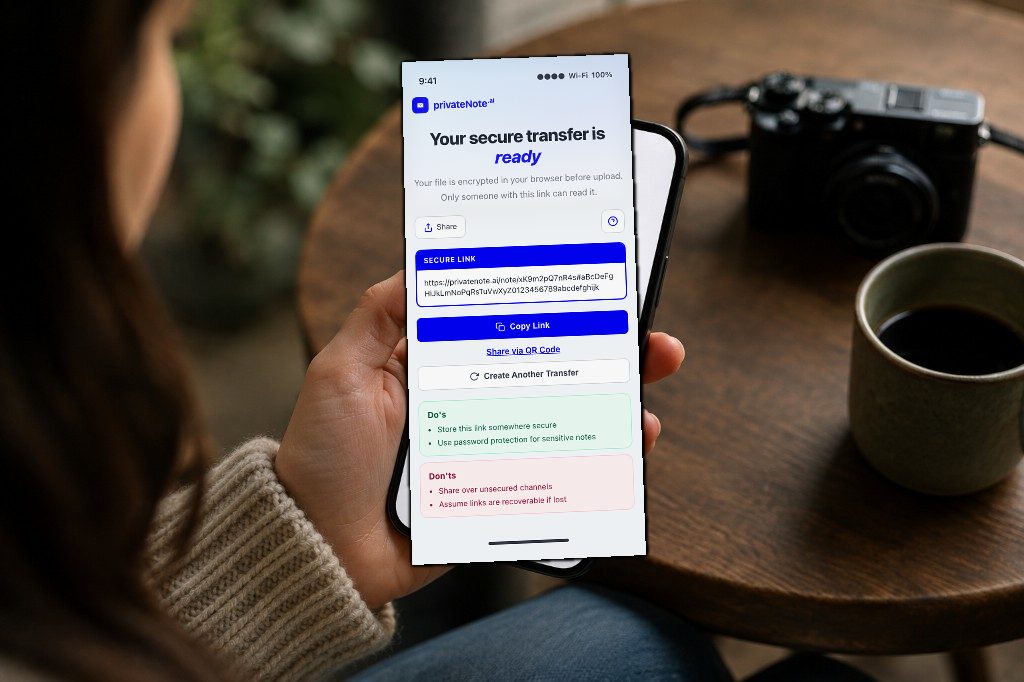
PrivateNote’s secure file transfer combines those steps: optional in-browser re-encoding for JPEG/PNG/WebP/HEIC, encryption before upload, ciphertext-only storage, a note read limit, and a timed attachment-download window. Recipients can open the link without creating an account; sending a file requires a free PrivateNote account.
PrivateNote also uses click-to-reveal by default, so a mis-tap on the note page does not immediately decrypt the content.
Finally, treat service access as temporary. Opening a read-once PrivateNote consumes the note read, but its attachment remains downloadable during the configured post-open window: 15 minutes by default, with eligible plans offering 30 minutes or 1 hour. The recipient may download more than once during that window. Expiration then removes access through PrivateNote; it does not delete copies already saved on the recipient’s device.
Treat the complete PrivateNote URL as a bearer secret. It normally contains decryption-key material in the URL fragment, so anyone who obtains the full link before it expires may be able to open the handoff. If you add a passphrase, send it through a different channel. Sending the link and passphrase in the same thread collapses the two layers into one—see how to share a password securely.
For passports, medical images, financial records, or evidence, first confirm that the organisation accepts this delivery method. A government agency, bank, insurer, or healthcare provider may require its own authenticated upload portal or retention process.
Ready to send a confidential photo with common embedded metadata removed and a shorter service-access window?
Start a secure file transferBest practices checklist
Use the same short routine every time.
- Verify the recipient and channel
- Crop or blur anything the recipient does not need
- Leave PrivateNote’s “Remove location & photo metadata” on for JPEG/PNG/WebP/HEIC
- Encrypt in the browser before upload
- Set a short note expiry and attachment access window
- Treat the complete URL like the sensitive file
- Share any passphrase on a separate channel
- Remove unnecessary working copies—not an original you are required to retain
Know what this workflow protects
Reduce exposure, but trust boundaries still matter.
This workflow helps when the main risks are forgotten inbox attachments, long-lived cloud links, readable server-side storage, and common embedded photo metadata. Browser-side encryption means PrivateNote receives encrypted file data rather than the readable image, and expiration limits how long that encrypted handoff remains retrievable.
It does not protect against malware or a compromised browser on either device, a malicious or mistaken recipient, exposure of the complete link before expiry, or a recipient saving the decrypted image. Because the web application performs encryption, the code delivered to your browser is also part of the trust model. Use a managed or otherwise trusted device for high-sensitivity documents.
Common mistakes
Most leaks come from ordinary habits.
The most common mistakes are surprisingly ordinary. People often leave location data embedded in photos taken at home, assume the recipient will remember to delete the file, or keep permanent cloud-sharing links active long after the exchange is finished. Another frequent error is sending both the encrypted link and its passphrase in the same message, giving an attacker everything they need if that conversation is ever compromised.
A relationship is not standing consent, and consent to receive is never consent to redistribute.
It’s also worth remembering that no sharing method can prevent a recipient from taking a screenshot or saving the image after opening it. Secure sharing reduces unnecessary copies and limits long-term exposure, but it cannot control what someone does once they have legitimate access.
- Leaving GPS on for home, school, or clinic photos (or turning PrivateNote’s strip toggle off without a reason)
- Sending the passphrase in the same thread as the link
- Using a permanent Drive or Photos link “because it’s easier”
- Assuming the recipient will delete the download
- Sending the full frame when a crop would do
Frequently asked questions
Is it safe to email a passport photo?
Email usually protects the journey with TLS, but the attachment tends to live in both mailboxes indefinitely. Prefer a browser-encrypted, expiring link for ID and similar images.
Does “the chat is encrypted” mean the photo is safe?
End-to-end encryption can keep the service from reading message content, but it does not guarantee short retention. Media may remain in history, downloads, screenshots, or backups depending on the app and settings. A short-lived handoff can reduce service-side availability, but it still cannot erase a recipient’s copy.
Does PrivateNote remove GPS and other EXIF metadata from photos?
For JPEG, PNG, WebP, and iPhone HEIC/HEIF attachments, PrivateNote offers Remove location & photo metadata, on by default. The browser re-encodes the image before encryption to drop common embedded metadata. HEIC/HEIF becomes JPEG, and lossy formats may be recompressed. This does not remove identifying information visible in the pixels. GIF, SVG, and unsupported formats are not re-encoded this way.
Does a one-time link mean the attachment can be downloaded only once?
No. Opening a read-once note consumes its read, but the attachment remains downloadable during its post-open access window—15 minutes by default, or longer where the account plan allows. The recipient can save copies during that window. Once the window closes, PrivateNote stops serving the attachment; it cannot delete copies already saved.
Is the complete PrivateNote link sensitive?
Yes. The complete URL normally carries decryption-key material in its fragment. Treat it like the file itself: share it only with the intended recipient, keep its lifetime short, and consider a separately delivered passphrase if the link-delivery channel may be exposed.
Is photo metadata stripping a paid feature?
No. It runs entirely in your browser and is included whenever you can attach a supported image. Paid plans raise attachment size limits; they are not required for EXIF stripping.
Can PrivateNote stop someone from screenshotting the photo?
No. Once a trusted recipient can view the image, they can capture the screen. Secure sharing reduces accidental leftover copies and server-side access—not DRM against the person you intentionally shared with.
The bottom line
Shorter access and fewer copies beat promises.
When sharing sensitive photos, the goal isn’t simply to encrypt the connection—it’s to minimise how many copies exist and how long they survive.
Cropping unnecessary details, re-encoding supported images to remove common metadata, encrypting before upload, and setting short access windows reduce long-term exposure. They do not guarantee that no trace remains: the recipient can retain the decrypted image, and the complete delivery link must itself be protected.
The same approach works for sensitive documents of any kind—not only photos. For intimate images between adults, see how to send nudes safely.
Explora PrivateNote
- How to Send Nudes Safely
- Cómo enviar documentos sensibles de forma segura
- ¿Qué es un enlace de un solo uso? Cómo compartir secretos de forma segura
- Compartir archivos cifrados vs. de forma segura
- Google Drive vs enlaces de un solo uso para archivos confidenciales
- Por qué el correo es el peor lugar para enviar secretos