Chrome extension
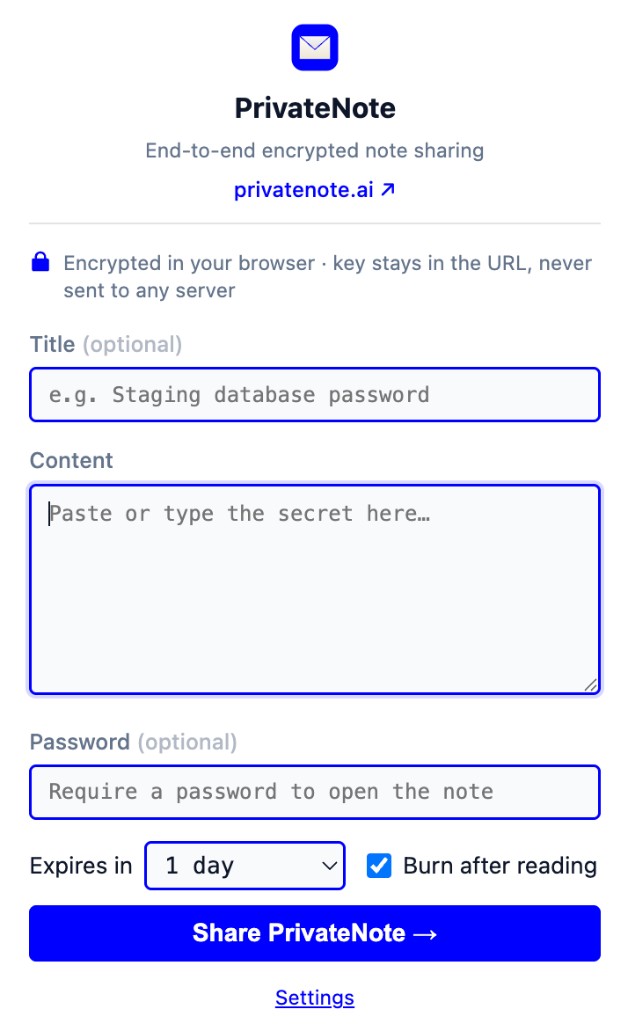
Encrypt selected text in the browser without opening privatenote.ai — same client-side flow, fewer context switches.
Who this is for
Use the Chrome extension when you are already in the browser — email, docs, tickets — and need to turn selected text into an encrypted one-time link.
Encryption runs in the extension using the same shared crypto module as the web app. Plaintext is never sent to PrivateNote servers.
Install
# Chrome Web Store (recommended)
# Search: PrivateNote Encrypted Note Sharing

# Or load unpacked for development (from repo root):
npm run build:chrome
# chrome://extensions → Developer mode → Load unpacked → packages/privatenote-chrome/dist
Security architecture
Manifest V3 extension with local encryption before upload. Analytics records creationSource: chrome.
The generated link is copied to your clipboard automatically. Treat the URL like the secret — the key is in the fragment.
Encrypt locally
AES-256-GCM on your device — browser, editor, terminal, or MCP process.
Upload ciphertext
Only encrypted bytes and note metadata (expiry, burn-after-reading) reach the server.
Key in #fragment
The decryption key stays in the URL hash. Browsers do not send fragments in HTTP requests.
privatenote.ai/note/…#key
Context menu: Create PrivateNote on selected text.
Toolbar popup to compose notes with expiry and burn settings.
Alt+Shift+P prefills selected text from the active tab.
host_permissions limited to privatenote.ai for API calls — not configurable for self-hosting.
Features and permissions
| Name | Description |
|---|---|
| storage | Sync settings; session storage for prefilled selection |
| contextMenus | Right-click Create PrivateNote |
| activeTab + scripting | Read selection for keyboard shortcut |
| clipboardWrite | Copy generated link |
| Default expiry | Configurable in extension settings |
| Burn after reading | Default on; configurable in options |
Related integrations
CLI
Pipe secrets from stdin or files. Encrypt locally, print a one-time link, and keep plaintext out of shell history and build logs.
View docsEditor extension
Create notes from VS Code, Cursor, or Codex IDE without switching context. Use the sidebar, a selected-text command, or the title-bar action.
View docsMCP server
Give an MCP client a preview-and-confirm flow that encrypts a local file after you approve the exact bytes.
View docsCodex plugin
Install the bundled plugin for MCP plus skills, or add privatenote-mcp to ~/.codex/config.toml. Use the same VS Code extension in the Codex IDE for secrets the agent never sees.
View docsChrome extension
Encrypt selected text in the browser without opening privatenote.ai — same client-side flow, fewer context switches.



