Fotos sicher teilen
Weniger dauerhafte Kopien und weniger Metadaten
Sensible Fotos können sichtbare Details, eingebettete Standortdaten und langlebige Kopien preisgeben. So schneiden Sie zu, kodieren neu, verschlüsseln und begrenzen den Zugriff.
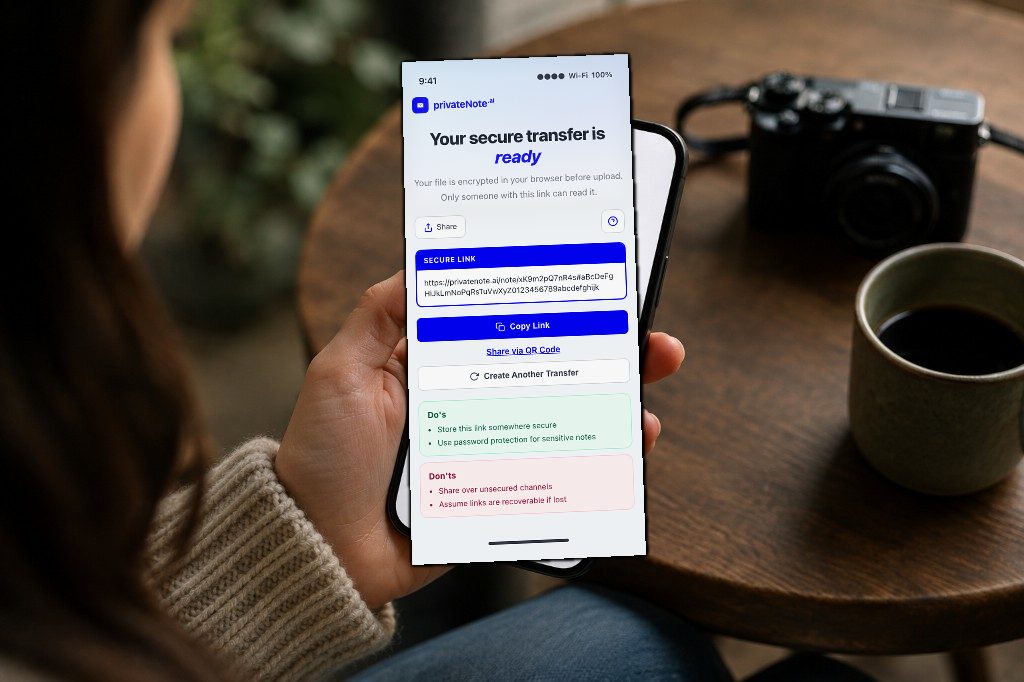
Wichtigste Punkte
- Das eigentliche Risiko ist Dauerhaftigkeit—Kopien in E-Mail, Chat und Backups.
- PrivateNote kann GPS/EXIF im Browser vor der Verschlüsselung entfernen (JPEG/PNG/WebP/HEIC).
- Im Browser verschlüsseln und einmalige oder kurzlebige Links nutzen.
- Auf das Nötige zuschneiden; Passphrasen über einen separaten Kanal senden.
Fotos zu teilen dauert nur wenige Tipps. Enthält ein Bild jedoch Ihren Reisepass, Ihren Führerschein, eine Krankenakte, ein Steuerdokument oder Finanzunterlagen, kann Bequemlichkeit schnell zum Datenschutzrisiko werden.
Abfangen ist nur ein Risiko. E-Mail kann TLS zwischen Servern nutzen, und manche Messenger bieten Ende-zu-Ende-Verschlüsselung, aber ein geschützter Transportweg garantiert keine kurze Aufbewahrung. Ein heute gesendetes Foto kann jahrelang in Gesendet-Ordnern, Chatverläufen, Downloads, Cloud-Backups und auf alten Geräten liegen.
Eine sicherere Übergabe begrenzt, wer die Datei entschlüsseln kann, und wie lange der Dienst sie bereithält. Das bedeutet, nur das Nötige zu teilen, übliche eingebettete Metadaten zu entfernen, vor dem Upload zu verschlüsseln und ein kurzes Zugriffsfenster zu setzen. Die sichere Dateiübertragung von PrivateNote ist für diese temporäre Übergabe gedacht—nicht dafür, Kopien aus der Ferne zu löschen, die ein Empfänger bereits gespeichert hat.
Warum alltägliche Freigabewerkzeuge nicht ausreichen
Senden Sie eine Übergabe, kein Andenken.
Keiner dieser Dienste ist von sich aus unsicher—sie optimieren schlicht auf Bequemlichkeit und langfristigen Zugriff. Das ist ideal für Alltagsfotos, aber nicht für Dokumente, die in Jahren noch sensibel sein können. Dasselbe Aufbewahrungsproblem zeigt sich, wenn Menschen Dokumente per E-Mail senden oder Geheimnisse in den Chat einfügen.
| Methode | Wer kann normalerweise entschlüsseln? | Läuft der Zugriff beim Dienst ab? | Der wesentliche Nachteil |
|---|---|---|---|
| E-Mail-Anhang | Absender, Empfänger und in der Regel die Mailanbieter | Nein | Hinterlässt dauerhafte Kopien in den Postfächern von Absender und Empfänger. |
| Messenger (WhatsApp, iMessage) | Endgeräte bei E2EE-Chats; die Konfiguration entscheidet | Manchmal | Einstellungen für verschwindende Nachrichten löschen keine Downloads, Screenshots oder jedes Backup. |
| Cloud-Speicher (Google Drive, Dropbox) | Kontoinhaber und in der Regel der Anbieter | Nicht standardmäßig | Freigabelinks bleiben oft noch lange zugänglich, nachdem sie in Vergessenheit geraten sind. |
| Einmal-verschlüsselte Links | Jeder mit dem vollständigen Link; eine separate Passphrase kann Schutz ergänzen | Ja, beim Dienst | Der Ablauf kann eine Datei nicht löschen, die der Empfänger bereits heruntergeladen oder festgehalten hat. |
Einen tieferen Vergleich von Kollaborationsspeicher und temporären Übergaben finden Sie unter Google Drive vs. einmal-verschlüsselte Links.
Versteckte Metadaten nicht übersehen
Die meisten Identitätslecks stecken in den Pixeln, nicht auf dem Transportweg.
Ein Foto kann weit mehr verraten, als auf dem Bildschirm zu sehen ist.
Viele Telefone können Metadaten wie EXIF-Felder in ein Bild einbetten. Je nach Gerät, Format und Einstellungen können dazu GPS-Koordinaten, Aufnahmezeit, Ausrichtung und Kameradaten gehören. Ein zu Hause fotografierter Reisepass kann einen Standort verraten; ein in einer Praxis fotografiertes medizinisches Dokument kann verraten, wo es aufgenommen wurde.
Verschlüsselung allein entfernt diese Metadaten nicht—sie verschlüsselt die Datei nur so, wie sie vorliegt. Steckt GPS noch im Klartext, steckt GPS auch im Chiffretext, bis jemand ihn entschlüsselt.
PrivateNote behandelt übliche eingebettete Metadaten im Produkt: Bei JPEG-, PNG-, WebP- und iPhone-HEIC/HEIF-Anhängen ist „Standort und Foto-Metadaten entfernen“ verfügbar und standardmäßig eingeschaltet. Ihr Browser dekodiert die Pixel lokal und kodiert sie vor der Verschlüsselung neu; dabei entfallen übliche Metadatenfelder wie GPS, Zeitstempel und Kameradaten. HEIC/HEIF wird zu JPEG; JPEG und WebP können neu komprimiert werden. Schlägt die Umwandlung fehl, bricht PrivateNote den Upload ab. Um das exakte Original zu senden, müssen Sie das Entfernen der Metadaten bewusst ausschalten und erneut absenden; das Original wird weiterhin vor dem Upload verschlüsselt.
Neu kodieren ist keine Garantie für forensische Anonymisierung. Es entfernt keine aufgedruckte Adresse im Bild, kein Gesicht im Hintergrund, keinen Barcode, keine Spiegelung und kein Wahrzeichen, aus dem sich ein Standort ableiten lässt. Prüfen Sie die sichtbaren Pixel gesondert. Schalten Sie das Entfernen der Metadaten aus, wenn die exakten Originalbytes, die Originalqualität oder die Integrität als Beweismittel erhalten bleiben müssen.
Danach zählt weiterhin die clientseitige Verschlüsselung: Sobald die bereinigte Datei im Browser verschlüsselt ist, speichert der Dienst Chiffretext statt eines lesbaren Fotos. Das ist das Modell hinter verschlüsselt vs. „sicheres“ Dateiteilen.
Faustregel
Wenn Sie Standort und Zeitstempel des Fotos nicht auf einer öffentlichen Karte veröffentlichen würden, lassen Sie den Metadaten-Schalter von PrivateNote eingeschaltet (oder entfernen Sie EXIF selbst), bevor Sie verschlüsseln und senden.
Sensible Fotos sicherer teilen
Das Telefon des Empfängers gehört zum Versand.
Gute Sicherheit beginnt, bevor Sie auf Senden drücken.
Nehmen Sie sich einen Moment und sehen Sie sich das Bild selbst an. Braucht der Empfänger das gesamte Dokument, oder reicht eine zugeschnittene Fassung? Hintergrunddetails zu entfernen, unbeteiligte persönliche Angaben zu verdecken oder irrelevante Gesichter unkenntlich zu machen verringert die Gefährdung. Bewahren Sie ein geeignetes Original auf, wo Akten, Beweise oder eine spätere Nutzung es verlangen; entfernen Sie nur unnötige Arbeitskopien.
Entfernen Sie als Nächstes versteckte Standortdaten. Bei PrivateNote ist dieser Schritt für gängige Fotoformate eingebaut—lassen Sie den Metadaten-Schalter eingeschaltet, wenn Sie die Datei anhängen.
Verschlüsseln Sie dann, bevor das Foto Ihr Gerät verlässt. Die clientseitige Verschlüsselung wandelt das Bild lokal in unlesbaren Chiffretext um, sodass der Speicherserver die Originaldatei nie erhält. Selbst wenn der Server kompromittiert wäre, blieben die verschlüsselten Daten ohne den Entschlüsselungsschlüssel unverständlich.
Die sichere Dateiübertragung von PrivateNote verbindet diese Schritte: optionale Neukodierung im Browser für JPEG/PNG/WebP/HEIC, Verschlüsselung vor dem Upload, Speicherung ausschließlich als Chiffretext, ein Leselimit für die Notiz und ein zeitlich begrenztes Download-Fenster für den Anhang. Empfänger können den Link öffnen, ohne ein Konto anzulegen; zum Senden einer Datei ist ein kostenloses PrivateNote-Konto nötig.
PrivateNote nutzt außerdem standardmäßig Klick-zum-Anzeigen, sodass ein versehentliches Tippen auf der Notizseite den Inhalt nicht sofort entschlüsselt.
Behandeln Sie den Zugriff beim Dienst zuletzt als vorübergehend. Das Öffnen einer einmal lesbaren PrivateNote verbraucht den Lesezugriff der Notiz, der Anhang bleibt aber während des eingestellten Fensters nach dem Öffnen herunterladbar: standardmäßig 15 Minuten, geeignete Pläne bieten 30 Minuten oder 1 Stunde. Der Empfänger kann in diesem Fenster mehr als einmal herunterladen. Der Ablauf entzieht danach den Zugriff über PrivateNote; er löscht keine Kopien, die bereits auf dem Gerät des Empfängers gespeichert sind.
Behandeln Sie die vollständige PrivateNote-URL als Inhabergeheimnis. Sie enthält normalerweise Schlüsselmaterial für die Entschlüsselung im URL-Fragment, sodass jeder, der den vollständigen Link vor Ablauf erhält, die Übergabe öffnen kann. Wenn Sie eine Passphrase hinzufügen, senden Sie sie über einen anderen Kanal. Link und Passphrase im selben Thread zu senden lässt die beiden Schichten in eine zusammenfallen—siehe wie Sie ein Passwort sicher teilen.
Bei Reisepässen, medizinischen Bildern, Finanzunterlagen oder Beweismitteln prüfen Sie zuerst, ob die Organisation diese Zustellart akzeptiert. Eine Behörde, eine Bank, eine Versicherung oder ein Gesundheitsdienstleister kann ein eigenes authentifiziertes Upload-Portal oder ein Aufbewahrungsverfahren verlangen.
Bereit, ein vertrauliches Foto zu senden, bei dem übliche eingebettete Metadaten entfernt sind und das Zugriffsfenster beim Dienst kürzer ist?
Sichere Dateiübertragung startenCheckliste bewährter Praxis
Nutzen Sie jedes Mal dieselbe kurze Routine.
- Empfänger und Kanal prüfen
- Alles zuschneiden oder verwischen, was der Empfänger nicht braucht
- Bei PrivateNote „Standort und Foto-Metadaten entfernen“ für JPEG/PNG/WebP/HEIC eingeschaltet lassen
- Vor dem Upload im Browser verschlüsseln
- Kurzen Notizablauf und ein kurzes Zugriffsfenster für den Anhang setzen
- Die vollständige URL wie die sensible Datei behandeln
- Jede Passphrase über einen separaten Kanal teilen
- Unnötige Arbeitskopien entfernen—nicht ein Original, das Sie aufbewahren müssen
Wissen, was dieses Vorgehen schützt
Verringern Sie die Gefährdung; die Vertrauensgrenzen bleiben wichtig.
Dieses Vorgehen hilft, wenn die wesentlichen Risiken vergessene Postfach-Anhänge, langlebige Cloud-Links, lesbarer Speicher auf dem Server und übliche eingebettete Foto-Metadaten sind. Browserseitige Verschlüsselung bedeutet, dass PrivateNote verschlüsselte Dateidaten erhält und nicht das lesbare Bild, und der Ablauf begrenzt, wie lange diese verschlüsselte Übergabe abrufbar bleibt.
Es schützt nicht vor Schadsoftware oder einem kompromittierten Browser auf einem der beiden Geräte, vor einem böswilligen oder irrtümlichen Empfänger, vor der Offenlegung des vollständigen Links vor Ablauf oder davor, dass ein Empfänger das entschlüsselte Bild speichert. Weil die Webanwendung die Verschlüsselung ausführt, gehört auch der Code, der an Ihren Browser ausgeliefert wird, zum Vertrauensmodell. Nutzen Sie für hochsensible Dokumente ein verwaltetes oder anderweitig vertrauenswürdiges Gerät.
Häufige Fehler
Die meisten Lecks entstehen aus gewöhnlichen Gewohnheiten.
Die häufigsten Fehler sind erstaunlich alltäglich. Oft bleiben Standortdaten in Fotos eingebettet, die zu Hause aufgenommen wurden, man nimmt an, der Empfänger denke an das Löschen der Datei, oder dauerhafte Cloud-Freigabelinks bleiben lange aktiv, nachdem der Austausch vorbei ist. Ein weiterer häufiger Fehler ist, den verschlüsselten Link und die Passphrase in derselben Nachricht zu senden und einem Angreifer damit alles zu geben, was er braucht, falls dieses Gespräch jemals kompromittiert wird.
Eine Beziehung ist keine dauerhafte Einwilligung, und die Einwilligung zum Empfang ist nie die Einwilligung zur Weitergabe.
Keine Methode des Teilens kann verhindern, dass ein Empfänger nach dem Öffnen einen Screenshot macht oder das Bild speichert. Sicheres Teilen verringert unnötige Kopien und begrenzt die langfristige Gefährdung, es kann aber nicht steuern, was jemand tut, sobald er berechtigten Zugriff hat.
- GPS bei Fotos von zu Hause, aus der Schule oder der Praxis eingeschaltet lassen (oder „Standort und Foto-Metadaten entfernen“ bei PrivateNote ohne Grund ausschalten)
- Die Passphrase im selben Thread wie den Link senden
- Einen dauerhaften Link von Drive oder Fotos nutzen, „weil es einfacher ist“
- Davon ausgehen, dass der Empfänger den Download löscht
- Das gesamte Bild senden, obwohl ein Zuschnitt genügt
Häufig gestellte Fragen
Ist es sicher, ein Reisepassfoto per E-Mail zu senden?
E-Mail schützt den Transportweg meist mit TLS, der Anhang bleibt aber in beiden Postfächern oft auf unbestimmte Zeit liegen. Bevorzugen Sie für Ausweise und ähnliche Bilder einen im Browser verschlüsselten, ablaufenden Link.
Heißt „der Chat ist verschlüsselt“, dass das Foto sicher ist?
Ende-zu-Ende-Verschlüsselung kann verhindern, dass der Dienst Nachrichteninhalte liest, garantiert aber keine kurze Aufbewahrung. Medien können je nach App und Einstellungen im Verlauf, in Downloads, in Screenshots oder in Backups bleiben. Eine kurzlebige Übergabe kann die Verfügbarkeit beim Dienst verringern, eine Kopie beim Empfänger aber weiterhin nicht löschen.
Entfernt PrivateNote GPS und andere EXIF-Metadaten aus Fotos?
Bei JPEG-, PNG-, WebP- und iPhone-HEIC/HEIF-Anhängen bietet PrivateNote „Standort und Foto-Metadaten entfernen“, standardmäßig eingeschaltet. Der Browser kodiert das Bild vor der Verschlüsselung neu, um übliche eingebettete Metadaten zu entfernen. HEIC/HEIF wird zu JPEG, und verlustbehaftete Formate können neu komprimiert werden. Das entfernt keine identifizierenden Angaben, die in den Pixeln sichtbar sind. GIF, SVG und nicht unterstützte Formate werden auf diesem Weg nicht neu kodiert.
Bedeutet ein Einmal-Link, dass der Anhang nur einmal heruntergeladen werden kann?
Nein. Das Öffnen einer einmal lesbaren Notiz verbraucht ihren Lesezugriff, der Anhang bleibt aber während des Zugriffsfensters nach dem Öffnen herunterladbar—standardmäßig 15 Minuten, oder länger, wenn der Tarif es erlaubt. Der Empfänger kann in diesem Fenster Kopien speichern. Sobald das Fenster schließt, stellt PrivateNote den Anhang nicht mehr bereit; bereits gespeicherte Kopien kann es nicht löschen.
Ist der vollständige PrivateNote-Link sensibel?
Ja. Die vollständige URL trägt normalerweise Schlüsselmaterial für die Entschlüsselung in ihrem Fragment. Behandeln Sie sie wie die Datei selbst: Teilen Sie sie nur mit dem vorgesehenen Empfänger, halten Sie ihre Lebensdauer kurz und ziehen Sie eine getrennt übermittelte Passphrase in Betracht, wenn der Kanal für die Linkzustellung offengelegt sein könnte.
Ist das Entfernen von Foto-Metadaten eine kostenpflichtige Funktion?
Nein. Es läuft vollständig in Ihrem Browser und ist enthalten, sobald Sie ein unterstütztes Bild anhängen können. Kostenpflichtige Pläne erhöhen die Größenlimits für Anhänge; für das Entfernen von EXIF sind sie nicht erforderlich.
Kann PrivateNote verhindern, dass jemand einen Screenshot des Fotos macht?
Nein. Sobald ein vertrauenswürdiger Empfänger das Bild sehen kann, kann er den Bildschirm aufnehmen. Sicheres Teilen verringert versehentlich liegen gebliebene Kopien und den Zugriff auf dem Server—kein DRM gegen die Person, mit der Sie bewusst geteilt haben.
Das Fazit
Kürzerer Zugriff und weniger Kopien schlagen Versprechen.
Beim Teilen sensibler Fotos geht es darum, die Zahl der Kopien und ihre Lebensdauer zu minimieren—nicht nur die Verbindung zu verschlüsseln.
Unnötige Details zuzuschneiden, unterstützte Bilder neu zu kodieren, um übliche Metadaten zu entfernen, vor dem Upload zu verschlüsseln und kurze Zugriffsfenster zu setzen, verringert die langfristige Gefährdung. Das garantiert nicht, dass keine Spur bleibt: Der Empfänger kann das entschlüsselte Bild behalten, und der vollständige Zustelllink muss selbst geschützt werden.
Derselbe Ansatz gilt für sensible Dokumente jeder Art—nicht nur für Fotos. Zu intimen Bildern zwischen Erwachsenen siehe Aktfotos sicher senden.
Teilen Sie das Foto mit weniger dauerhaften Kopien.
PrivateNote kann unterstützte Fotos neu kodieren, um übliche eingebettete Metadaten zu entfernen, verschlüsselt Dateien lokal und begrenzt, wie lange die verschlüsselte Übergabe verfügbar bleibt. Schützen Sie den vollständigen Link, und denken Sie daran, dass Empfänger speichern können, was sie öffnen.
Foto sicher teilen