How to Send Sensitive Documents Securely
Without losing control
Email leaves permanent copies. One-time encrypted links don’t. Learn why passports, contracts, and tax files need browser encryption, expiring access, and fewer leftover copies.
Key takeaways
- Email attachments create long-lived copies on both sides.
- Encrypt before upload when the provider should not read the file.
- Use short-lived links and verify the recipient.
- Remove leftover copies from chat and drive shares after delivery.
Imagine you need to send your passport to a bank, your accountant asks for tax documents, your employer requests proof of identity, or a client needs a signed contract.
The task itself takes only a few seconds: attach the file, click Send, move on with your day. The transfer is rarely the weakest part of the process. The real problem begins after the document arrives.
That attachment may remain in inboxes, cloud backups, synchronized devices, archived mailboxes, and old chat conversations for years. In many situations, the greatest privacy risk is not interception in transit—it is that copies continue to exist long after the document has served its purpose.
This guide explains why traditional document sharing often falls short, what secure document sharing actually means, and how browser-side encryption and one-time links help you keep confidential information private.
Why confidential documents deserve different treatment
If a document would be hard to replace—or painful to leak—don’t treat it like a holiday photo.
Not every file deserves the same level of protection. Losing a holiday photograph online may be disappointing. Losing a confidential document can have consequences that last for years.
Identity documents often contain your full name, date of birth, identification number, nationality, signature, and photograph. Financial records reveal income, savings, tax information, or bank account details. Medical documents contain deeply personal information, while contracts frequently include commercially sensitive details that were never intended to become public.
If someone learns your password, you change it. If someone copies your passport, national identity card, tax return, or employment contract, the situation is far more complicated. That is why confidential documents deserve a different approach from everyday communication.
Why messaging apps leave a permanent paper trail
Chat makes collaboration easy—and document retention accidental.
Many people avoid email and instead send confidential documents through Slack, Microsoft Teams, WhatsApp, Signal, Telegram, or Discord. These platforms solve collaboration. They do not solve document lifecycle management.
Files shared in chat often remain searchable for months or years, synchronize across devices, enter automatic backups, and get downloaded onto personal computers. Even after the conversation is forgotten, the documents often remain.
The greatest privacy risk is often not interception by hackers. It is that confidential information quietly accumulates copies nobody intended to keep. The same pattern shows up when teams paste secrets into chat.
Cloud storage solves a different problem
Cloud drives are built for lasting access; temporary delivery needs expiration by design.
Services such as Google Drive, OneDrive, Dropbox, and iCloud are excellent for collaboration, backups, and long-term storage. Secure document delivery is a different problem.
If several colleagues need continuous access to the same files, cloud storage is the right tool. If you simply want one person to receive a confidential document today—and no longer need it available next month—the requirements are completely different.
Permanent sharing links often remain in browser history, old emails, project docs, chat messages, and bookmarks long after everyone assumes they have disappeared. Cloud storage optimizes for long-term availability rather than temporary delivery.
Secure document sharing is about more than encryption
Encryption protects the bits; lifecycle controls decide how long exposure lasts.
When people hear “secure document sharing,” they often think only about encryption. Encryption is essential. It is not the whole story.
Secure sharing is about reducing unnecessary exposure throughout a document’s lifetime. A well-designed system should answer: Can only the intended recipient access the document? Does access expire automatically? Are unnecessary copies avoided? Does the service receive the original document or only encrypted data?
Security is not only about protecting a file in transit. It is about limiting who can access it—and for how long.
Email vs one-time encrypted link
Email is built to keep messages; one-time encrypted links are built to deliver a document and then stop keeping it.
| Email attachment | One-time encrypted link | |
|---|---|---|
| Ease of sending | Very high | High |
| Copies created | Many (sent, inbox, devices, backups) | Far fewer by design |
| Access lifetime | Often indefinite | Expires or burns after use |
| What the service sees | Usually the original file | Ciphertext if encrypted in the browser first |
| Best for | Everyday non-sensitive mail | Passports, contracts, tax and ID docs |
Snippet-ready line: Email attachment = easy send, copies that can last for years. One-time encrypted link = browser encryption before upload, access that expires, far fewer leftover copies.
Browser encryption reduces the amount of trust required
Encrypt before upload so the service stores ciphertext—not your original document.
Traditional file-sharing platforms generally receive your original document before storing or processing it. Browser-based encryption works differently.
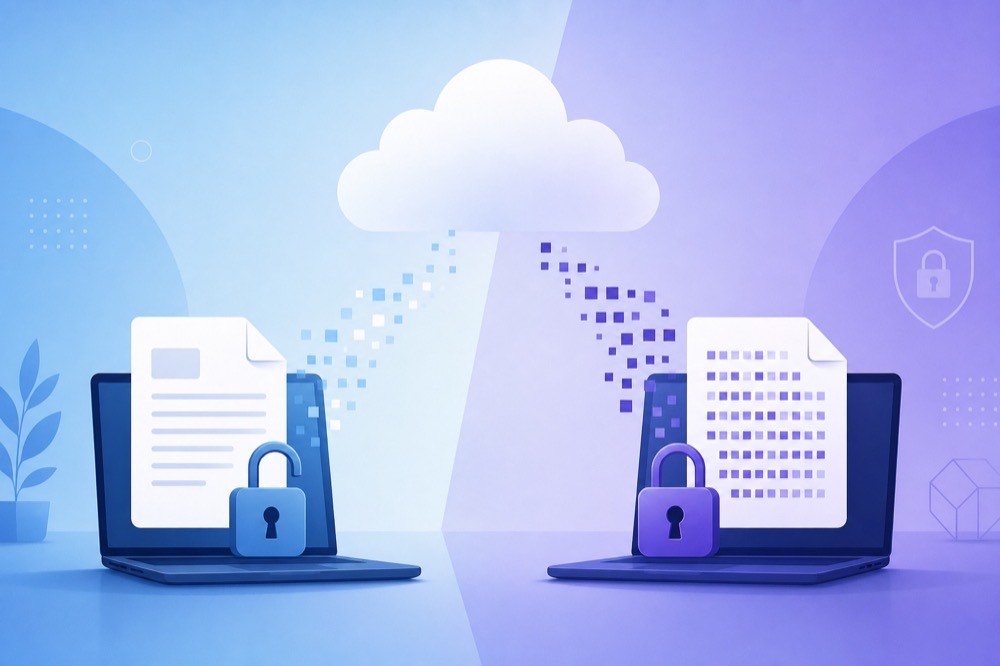
Before the file leaves your computer, your browser encrypts it locally. The service stores encrypted ciphertext rather than the original document. Without the corresponding decryption key, the stored data is unintelligible.
Instead of relying entirely on the provider after they receive your document, you reduce the information available to the provider in the first place. PrivateNote’s encrypted vs secure file sharing guide walks through that model in more detail.
One-time links reduce long-term exposure
Most leaks are leftover access—not Hollywood hacking.
Many document leaks happen because old documents continue to exist: email attachments in inboxes, cloud links that still work, chat histories that preserve old files.
One-time links take a different approach. The recipient retrieves the document once. Afterwards, the encrypted data is removed or the sharing link permanently expires.
No forgotten shared folder. No years-old download link. No confidential document quietly waiting to be discovered.
No technology can prevent an authorised recipient from intentionally saving a copy after opening the document. What one-time sharing does achieve is eliminating many of the unnecessary copies created by traditional tools.
Rule of thumb
If you would not feel comfortable publishing a document on a public website, think carefully before sending it as a permanent email attachment.
An extra layer: password-protected sharing
Separate the link from the password so one mistake does not expose both.
Sometimes even the sharing link deserves protection—an email forwarded by accident, visible browser history, or a compromised messaging account.
Adding a password creates another layer. Even if someone discovers the sharing link, they still cannot decrypt the document without the password.
For particularly sensitive information, communicate the password through a different channel—telephone or in person—rather than in the same message as the link. The same pattern applies when you share a password securely.
Secure document sharing in Europe and beyond
GDPR does not name a product—but limiting access and retention matches its spirit.
Across Europe, organisations process personal information under the GDPR. It does not require a specific file-sharing service, but it does require appropriate technical and organisational measures according to risk.
Encrypted sharing, limited availability, and fewer unnecessary copies are practical examples of those principles. The same ideas apply whether you are sending documents to an accountant, employer, lawyer, university, healthcare provider, bank, insurer, or public authority.
When should you use secure document sharing?
If it would matter that this document became public, do not send it as a permanent attachment.
That includes passports, national identity cards, driving licences, financial records, tax documents, mortgage applications, employment contracts, insurance paperwork, legal agreements, medical reports, confidential business information, research data, customer information, and intellectual property.
The harder a document would be to replace—or the greater the consequences of exposure—the more carefully it should be shared.
Practical ways to reduce risk
Perfect security does not exist; fewer copies and shorter access almost always help.
Before you send a confidential document, run this short checklist:
- 1Verify the recipient — correct person, correct address or channel
- 2Send only what is needed — required pages, not the whole packet when possible
- 3Use an expiring or one-time link — not a permanent attachment
- 4Add a password for high-sensitivity files — and share it on a separate channel
- 5Confirm delivery, then clean up — delete local and mailbox copies you no longer need
Reducing the number of copies is one of the simplest and most effective privacy improvements anyone can make.
Ready to send a passport scan, contract, or tax file without leaving a permanent trail in email?
Start a secure file transferFrequently asked questions
Encryption helps; expiration and fewer copies finish the job.
Is password-protecting a PDF enough?
It helps, but it does not solve persistence. The encrypted PDF may still remain in email archives, cloud backups, and downloads for years. Combine encryption with expiring or one-time delivery.
Isn’t HTTPS already secure?
HTTPS protects data in transit. It does not necessarily stop the receiving service from accessing or storing the file afterward. Browser-based encryption encrypts before upload.
What about encrypted ZIP files?
Reasonable if you use strong encryption and communicate the password separately—but they still leave permanent files in email systems unless the sharing method also limits how long the file remains available.
Can secure sharing stop the recipient from saving the document?
No. Once someone legitimately receives a document, they can save it, print it, or photograph the screen. Secure sharing reduces unnecessary exposure before and after delivery; it cannot prevent intentional actions by trusted recipients.
Sharing confidential documents with PrivateNote
PrivateNote is built for temporary delivery of encrypted documents—not permanent cloud storage.
PrivateNote was designed around a simple observation: many confidential documents only need to exist online long enough for a single recipient to retrieve them.
Instead of treating document sharing as permanent storage, PrivateNote encrypts files in your browser before upload and stores only the resulting encrypted ciphertext. You can choose automatic expiration, create one-time links, and, when appropriate, protect the document with an additional password via secure file transfer.
| What PrivateNote does | What it doesn’t do |
|---|---|
| Encrypt in your browser before upload | Read your original document on the server |
| Use separate cryptographic keys for note text, files, and metadata | Mix those concerns under one reusable key |
| Use AES-256-GCM authenticated encryption, with policy (expiration / access limits) bound to the ciphertext | Rely on “encryption” that ignores who may open the note or for how long |
| Support one-time and expiring links to limit leftover access | Keep documents available indefinitely by default for convenience |
| Let you add an optional password as a second factor for the link | Stop an authorised recipient from saving or printing after they open it |
| Reduce unnecessary online copies before and after delivery | Replace organisational process, recipient judgment, or long-term vault storage |
This approach cannot prevent an authorised recipient from saving a copy after opening the document—no technology can. What it does reduce is the number of unnecessary copies that remain online before and after delivery.
Final thoughts
The best control is often the shortest lifetime—only the people who need it, only as long as they need it.
The Internet has made sharing documents almost effortless. It has also made keeping them forever remarkably easy.
Most confidential documents do not need to remain accessible for months or years. They simply need to reach the intended recipient safely.
Choosing a method that encrypts before upload, limits unnecessary copies, and removes data once it has served its purpose is one of the simplest ways to improve privacy—without making everyday document sharing much harder.
The strongest security measure is not always the most sophisticated cryptography. Sometimes it is simply ensuring that a confidential document exists only for the people who need it, and only for as long as they need it.
Send the document. Keep the copies under control.
Encrypt a file in your browser, set an expiry or one-time open, and share a link—not a permanent attachment that lives forever in someone’s inbox.
Transfer a file securely


