How to Share an API Key Securely
Without exposing your secrets
API keys do not belong in Slack, Teams, email, tickets, or Git history. Learn the safer workflow: scope the key, encrypt it locally, use a one-time link, and rotate it when the handoff is done.
Key takeaways
- Never paste API keys into email, chat, tickets, docs, or Git.
- Use the narrowest key: least privilege, short life, rotate when done.
- Send secrets via a browser-encrypted one-time link.
- For high-risk keys, encrypt locally first; share only ciphertext.
- Monitor unusual usage after sharing—PrivateNote is handoff, not a vault.
On this page
Every developer eventually needs to send an API key to someone else — for staging access, a contractor, a webhook integration, or a client handoff. The fastest path is usually also the one that leaves the longest trail.
Treat API keys like production passwords
An API key is effectively a password for software. Depending on its permissions, a leaked key can expose customer data, consume paid resources, deploy cloud infrastructure, send email through your verified domain, or run up an AI bill.
Unlike human passwords, API keys often stay valid for months, sit inside configuration files, and bypass multi-factor authentication entirely. If a key leaks, an attacker can operate as your application — and malicious traffic can blend into ordinary production usage until costs spike or data is already exposed.
Never paste API keys into permanent systems
These channels are convenient because they preserve history. That is exactly why they are the wrong place for secrets.
- Slack, Microsoft Teams, Discord, or other chat history
- Email, SMS, or forwarded inbox threads
- Jira, Trello, Notion, Confluence, or GitHub issues
- Plain text documents, spreadsheets, and shared cloud folders
- Git commits, pull requests, and code comments
Where API keys actually leak
Most leaks are not sophisticated cryptography breaks. They happen when someone copies a secret into a system built to keep records.
Email creates long-lived copies. A key can survive in inboxes, archives, backups, mobile sync, forwarded threads, and search indexes long after the task is done.
Team chat
Slack and Teams preserve context — which makes them risky for secrets. One pasted key can become searchable by future workspace members or leak through a compromised device.
Project tools
Jira, Notion, Confluence, Trello, and GitHub Issues are not credential vaults. Deleted tickets may still exist in exports, backups, audit trails, and AI-assisted search.
Git repositories
Git history is sticky. Removing a key in a later commit does not erase earlier commits. Public repos are scanned constantly, and exposed cloud credentials can be abused within minutes.
High-risk keys: encrypt locally first
Most API keys are replaceable: staging tokens, short-lived integration secrets, and narrowly scoped credentials you plan to rotate. For those, browser-encrypted one-time delivery is usually enough.
Some keys carry more weight — production admin access, signing keys, root cloud credentials, or anything long-lived that would be painful or impossible to revoke cleanly. Treat those like master secrets: encrypt locally before any web upload, then send ciphertext through PrivateNote.
- age — simplest defaults for file encryption (
age -p -o key.txt.age key.txt) - OpenSSL — trusted CLI if you already know the flags
- Upload the encrypted file with PrivateNote; send the decryption passphrase on a separate channel (Signal, phone, in person)
The same workflow applies to cryptocurrency seed phrases and other irreplaceable master secrets. See crypto seed phrases and one-time links for the full age/OpenSSL walkthrough, passphrase tips, and when one-time links are — and are not — the right tool.
A safer handoff workflow
When a human needs the key—not when an app retrieves it at runtime—follow this sequence.
Scope the key
Minimum permissions only
Encrypt locally
Key never leaves your browser
Send the link
Not the raw secret
Revoke when done
Rotate after handoff
Share any note password through a separate channel — never in the same message as the link.
How PrivateNote fits the handoff
PrivateNote is built for the human-to-human moment: API keys, SSH private keys, database credentials, recovery codes, webhook signing secrets, and temporary passwords that need to reach one person without becoming a permanent record.
If the secret is an SSH key rather than an API credential, see how to share SSH keys securely for public vs private keys, deploy keys, and editor extensions.
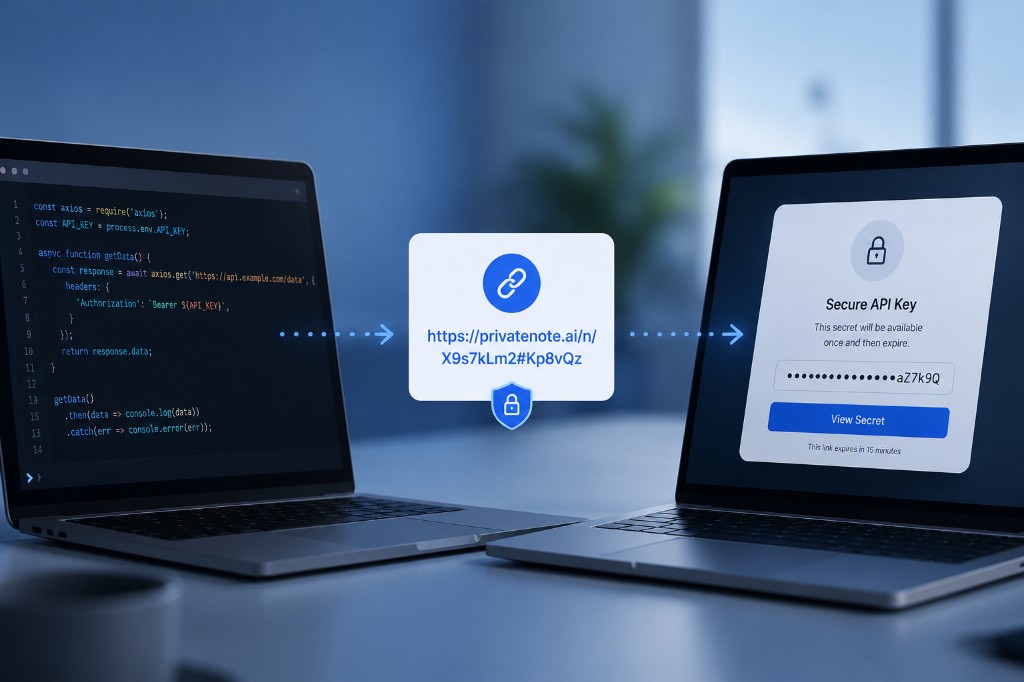
The secret is encrypted in your browser before upload. PrivateNote stores ciphertext, not plaintext. The decryption key lives in the URL fragment — the part after the # — which browsers do not send to the server when loading the page. That is the one-time secret link model applied to API credentials.
https://privatenote.ai/note/abc123#kL8mN4...
- The server receives the note ID and encrypted payload.
- The server does not receive the decryption key.
- Burn-after-reading and expiration limit how long the encrypted note exists.
PrivateNote complements dedicated secret stores — it closes the gap when you need to send a Stripe key to an integration partner, share a temporary OpenAI key with a contractor, or give a teammate one-time access to a staging credential.
Frequently asked questions
Why not just use an environment variable?
Environment variables are good for running local software. They do not solve the transport problem when you need to hand that value to a teammate, contractor, client, or integration partner.
Should API keys always expire?
Whenever the provider supports it, yes. Short-lived credentials reduce the window of abuse after accidental disclosure and make rotation part of the normal workflow.
What is the safest workflow?
Create a narrowly scoped key, send it through a browser-encrypted one-time link, share any optional password through a separate channel, then rotate or revoke the key when the task is done. For high-risk or long-lived keys, encrypt locally with age or OpenSSL first and upload ciphertext only.
Is PrivateNote a secrets manager?
No. PrivateNote solves secure human-to-human delivery. For machine-to-machine secret storage, use HashiCorp Vault, AWS Secrets Manager, Google Cloud Secret Manager, or Azure Key Vault.
The bottom line
Most API key leaks do not happen because cryptography failed. They happen because someone copied a secret into a permanent, searchable system out of convenience. Scope keys tightly, share them only when necessary, and avoid leaving a plaintext trail in chat, tickets, email, or Git. For the delivery-pipeline side—.env commits, CI logs, and GitHub history—see [secrets in CI/CD, .env files, and GitHub](blog:secrets-in-cicd-env-github-leaks).
Share an API key without leaving it in chat
Create a browser-encrypted, burn-after-reading PrivateNote link. No account required for one-time notes.
Create a PrivateNote ->
